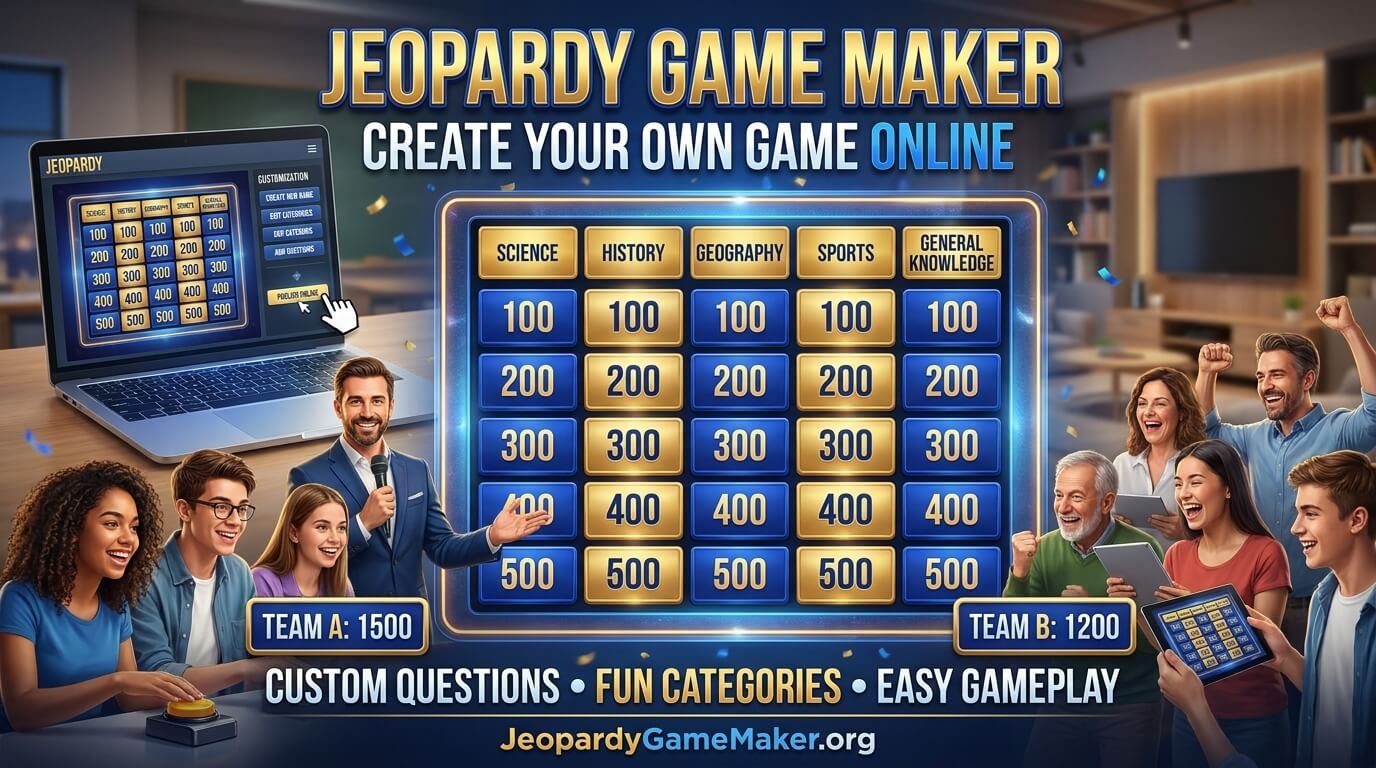
Custom Jeopardy-style games are useful because players learn, remember information, and work together while enjoying a little friendly competition. Teachers can use them to review lessons, parents can create educational activities for children, and team leaders can make meetings more engaging.
In this guide, you will learn how a Jeopardy game maker works, how to create your own board, how to write interesting questions, and how to host a game that people actually enjoy. You will also find sample categories, example clues, useful tips, and answers to common questions.
Ready to get started? Visit JeopardyGameMaker.org to explore your Jeopardy game-making options.
Table of Contents
- What Is a Jeopardy Game Maker?
- Why Use a Jeopardy Game Maker?
- How Does a Jeopardy Game Maker Work?
- How to Create Your Own Jeopardy Game
- How to Choose the Best Game Categories
- How to Write Good Jeopardy Questions and Clues
- Sample Jeopardy Game Board
- Different Ways to Play
- Using Jeopardy Games in Classrooms
- Using Jeopardy Games at Work
- How to Host an Online Jeopardy Game
- Common Mistakes to Avoid
- Tips for a More Exciting Game
- Frequently Asked Questions
What Is a Jeopardy Game Maker?
A Jeopardy game maker is a tool or game-building method that allows you to create a quiz board inspired by the familiar category-and-points format of television quiz games. You organize questions into different categories, assign point values, and let players select clues from the board.
For example, a teacher might create categories such as Science, Mathematics, History, Animals, and General Knowledge. Each category can contain questions with different point values. Easier questions can be worth fewer points, while more challenging questions can offer higher scores.
A custom game is different from a regular quiz because participants can choose which category and point value they want to play. This gives teams more control and adds strategy to the activity.
Depending on the tool or format you use, your game may include features such as:
- Custom game titles and categories.
- Editable questions and correct answers.
- Different point values for each clue.
- Team names and score tracking.
- Special bonus questions or a final round.
- Game links that can be shared with participants.
- Visual elements such as images or themed backgrounds.
The exact features depend on the game maker you choose. Before starting, check which options are available and whether you need an account to save or share your board.
Why Use a Jeopardy Game Maker?
A well-designed quiz game can make learning and group activities more enjoyable. It gives participants a reason to pay attention, discuss possible answers, and remember information. Here are some of the main reasons people create custom Jeopardy games.
1. Make Learning More Interactive
Reading notes and answering worksheets are useful, but repeating the same learning method can become boring. A quiz board introduces variety. Students can choose questions, discuss answers, and earn points as they review a topic.
2. Save Preparation Time
Once you understand the board structure, you can organize your questions into categories instead of building a separate activity for every lesson. You can also prepare a reusable question bank and adapt it for future games.
3. Encourage Teamwork
When players compete in teams, they can discuss clues and agree on an answer. This encourages communication, listening, and collaboration. It can also give quieter participants an opportunity to contribute.
4. Customize Games for Any Topic
You are not limited to school subjects. You can create games about movies, music, sports, food, holidays, company knowledge, family memories, or almost any topic that can be turned into questions.
5. Make Events More Memorable
A custom quiz can become the main activity at a birthday party, family night, training session, or virtual gathering. Questions based on shared experiences can make the event more personal and entertaining.
How Does a Jeopardy Game Maker Work?
Most Jeopardy-style game makers follow a simple process. You prepare the content, organize the board, and then run the game with your participants.
- Choose a topic: Decide what your game will be about, such as English grammar, world geography, movies, or workplace knowledge.
- Create categories: Divide the topic into sections so players can choose different types of questions.
- Add clues and answers: Write a clue for each board square and prepare the correct response.
- Assign point values: Give easier clues lower values and more difficult clues higher values.
- Review the board: Check spelling, facts, answers, and point values before the game begins.
- Start playing: Display the board, divide participants into teams if needed, and take turns selecting clues.
Some tools offer additional options, such as saving boards, sharing a game link, importing questions, or hosting participants online. Check the available features before planning an event that depends on a particular option.
How to Create Your Own Jeopardy Game
Creating a custom game is easier when you plan the content before opening the editor. Use the following steps to build a board that is organized, understandable, and enjoyable.
Step 1: Decide Who Will Play
Start by identifying your audience. A game for elementary school students should use different language and difficulty levels than a game for adults or experienced professionals.
Think about the participants’ ages, knowledge, interests, and the amount of time available. This will help you choose suitable categories and avoid questions that are too difficult or too easy.
Step 2: Select a Clear Topic
Choose one main theme for the board. A focused topic makes it easier to write related questions and helps participants understand what the game is testing.
For a general knowledge game, you might include science, history, geography, entertainment, and sports. For a birthday party, you could use categories based on the guest of honor, family memories, favorite foods, music, and funny moments.
Step 3: Build Your Categories
Choose categories that are different enough to offer variety. Avoid creating several sections that ask almost identical questions. A balanced board gives every participant a chance to find a topic they understand.
For a traditional five-category board, prepare five clues for each category. You can adjust the number of categories and questions if your chosen tool supports a different layout.
Step 4: Write the Clues and Answers
Each clue should test one clear piece of knowledge. Write the correct answer separately and make sure there is no confusion about what participants are expected to say.
For example:
- Category: Geography
- Point value: 100
- Clue: This is the largest ocean on Earth.
- Correct response: What is the Pacific Ocean?
Use simple wording for beginners and more detailed clues for advanced players. If a question has several possible answers, rewrite it to make the expected response clear.
Step 5: Set Fair Point Values
Point values should reflect difficulty. A simple fact can be worth 100 points, while a question that requires deeper knowledge can be worth 400 or 500 points. The values should be consistent across categories.
Step 6: Add a Bonus or Final Round
A bonus question or final round can create excitement near the end of the game. Ask a challenging question that connects to the main topic. If your tool does not support a special round, you can simply prepare one extra question and announce it separately.
Step 7: Preview and Test the Game
Before inviting players, review every clue and answer. Check that the board is easy to read on a projector, laptop, or phone. Test the game controls and make sure the scoring method is clear.
For more help with the process, visit our guide on how to make a Jeopardy game.
How to Choose the Best Game Categories
Categories give your board its structure. The best choices depend on the purpose of the game and the people who will play it. Here are some ideas you can adapt.
| Game type | Category ideas |
|---|---|
| Classroom review | Science, Math, History, Vocabulary, Geography |
| General knowledge | World Facts, Nature, Inventions, Sports, Entertainment |
| Family game night | Family Memories, Food, Movies, Music, Funny Moments |
| Office team building | Workplace Facts, Team Trivia, Company History, Pop Culture, Challenges |
| Holiday party | Holiday Traditions, Songs, Movies, Food, Seasonal Facts |
| Children’s game | Animals, Colors, Numbers, Cartoons, Everyday Objects |
Try to include a mixture of familiar and challenging topics. If every category is difficult, some participants may lose interest. If every question is simple, the game may not feel competitive.
How to Write Good Jeopardy Questions and Clues
Good clues are the foundation of a successful game. A beautiful board cannot make up for confusing questions or incorrect answers. Follow these principles when preparing your content.
Keep Each Clue Focused
Ask one thing at a time. Avoid adding unnecessary details that make a clue difficult to understand. A short, direct clue is usually easier to read during a live game.
Match the Difficulty to the Points
Arrange clues from easier to harder within each category. For example, a 100-point question might ask for a basic definition, while a 500-point question could require participants to connect two facts.
Check Every Correct Answer
Verify facts before using them. This is especially important for science, history, geography, and current information. If you use an AI writing tool to draft questions, review every answer yourself because automatically generated content can contain mistakes.
Avoid Unclear or Trick Wording
A challenging clue should test knowledge, not confuse participants. Avoid vague descriptions, hidden assumptions, and questions with multiple reasonable answers unless you clearly accept those alternatives.
Use a Variety of Question Types
Mix definitions, identification questions, true-or-false statements, short explanations, and image-based clues if your format supports them. Variety helps maintain attention and makes the board more interesting.
Sample Jeopardy Game Board
Here is a simple example of a general knowledge board. You can use it as inspiration when creating your own game. The point values are examples, and you can change them to suit your audience.
| Points | Science | Geography | Animals | History | Sports |
|---|---|---|---|---|---|
| 100 | What planet is known as the Red Planet? | What is the largest ocean? | What animal is known as man’s best friend? | What ancient civilization built the pyramids at Giza? | How many players are on a soccer team on the field? |
| 200 | What gas do plants absorb? | What is the capital of Japan? | What is the largest land animal? | Which wall is a famous landmark in China? | Which sport uses a racket and shuttlecock? |
| 300 | What is the center of an atom called? | Which continent contains the Sahara Desert? | What is a baby frog called? | Who was the first person to walk on the Moon? | How many rings are on the Olympic symbol? |
| 400 | Which organ pumps blood around the body? | What is the smallest independent country by area? | Which mammal can fly? | In which year did World War II end? | In tennis, what word means a score of zero? |
| 500 | What is the chemical symbol for gold? | Which river flows through Egypt? | What is the fastest land animal? | Which city was divided by a famous wall during the Cold War? | Which country hosted the first modern Olympic Games? |
This example demonstrates how a board can combine different subjects and difficulty levels. Before using it in a real competition, prepare and display the correct responses for the host. You can also replace these categories with a topic that better matches your event.
Different Ways to Play a Jeopardy Game
A custom board can support several types of activities. Choose a format that fits your group size, equipment, and available time.
Classic Team Format
Divide participants into two or more teams. Teams take turns choosing a category and point value. The host reads the clue, accepts an answer, and updates the score. This format works well in classrooms and in-person gatherings.
Individual Competition
Each person plays independently and tries to earn the highest score. This format is useful for small groups, review sessions, and casual trivia events.
Classroom Review Game
Teachers can divide a lesson into categories and use clues to review important concepts. Students can discuss possible answers before the team spokesperson responds.
Virtual Jeopardy Game
For remote events, the host can share a screen during a video meeting. Participants can answer through voice, chat, or a supported buzzer feature. Explain how answers will be submitted before starting.
Self-Paced Quiz
If participants cannot attend at the same time, consider a self-paced format if your chosen tool supports it. Players can complete questions independently and compare results later.
Using Jeopardy Games in Classrooms
Teachers can use a Jeopardy-style board to review a lesson, introduce a topic, or check what students remember. It can be adapted for different grade levels and subjects.
For younger learners, use short clues, familiar vocabulary, and colorful categories. For older students, include questions that require explanations, comparisons, or problem-solving. You can create separate boards for mathematics, science, language arts, history, and geography.
To keep classroom play organized:
- Explain the rules before displaying the board.
- Use balanced teams so everyone has an opportunity to participate.
- Give students a short discussion period before answering.
- Encourage respectful behavior when a team makes a mistake.
- Review difficult clues after the game to reinforce learning.
For more activity ideas, explore the Jeopardy game templates on our website.
Using Jeopardy Games at Work
A custom quiz can also make workplace training and team meetings more interactive. Instead of presenting information for an entire session, a team leader can turn important details into categories and clues.
Possible workplace categories include company history, product knowledge, customer service, workplace safety, team facts, and general knowledge. For onboarding, questions can cover company policies, communication channels, and basic procedures.
Keep the activity welcoming. Do not use questions that embarrass employees or require them to share private information. The purpose should be to encourage participation and reinforce useful knowledge, not to put anyone under pressure.
How to Host an Online Jeopardy Game
Online games are useful when participants are in different locations. You do not need everyone in the same room, but you should plan how the board will be displayed and how players will respond.
- Prepare your board: Finish the categories, clues, and answers before the event.
- Choose a meeting platform: Use a video meeting service that your participants can access.
- Share your screen: Display the game board so everyone can read the categories and point values.
- Explain the answer method: Decide whether players will use voice, chat, or an available buzzer system.
- Track the score: Use the game maker’s scoring feature if available, or keep a separate score sheet.
- End with a final round: Finish with one challenging question or a short bonus activity.
Test your screen sharing, sound, and game access before the event. If participants have slow internet connections, keep the board simple and avoid relying on large media files.
Common Mistakes to Avoid When Making a Jeopardy Game
Even a simple quiz can become frustrating if the questions or rules are not planned properly. Avoid these common problems:
- Unbalanced difficulty: Do not make every clue extremely easy or extremely difficult. Create a gradual challenge.
- Repeated questions: Check all categories so the same fact does not appear several times.
- Unclear answers: Write down acceptable alternative answers before the game begins.
- Too many categories: A board with too much content can take longer than expected. Choose a manageable size.
- Small text: Make sure clues are readable on the screen used by your audience.
- Complicated rules: Explain turns, scoring, and answer requirements in simple language.
- No testing: Preview the board and check every clue before inviting players.
- Unfair scoring: Apply the same scoring rules to every team.
Tips for Creating a More Exciting Jeopardy Game
A good game should be easy to follow, fair, and interesting from the first question to the last. These tips can help you improve the experience.
Choose a Theme That Interests Your Audience
People are more likely to participate when the subject feels relevant. Use school topics for students, shared memories for family gatherings, or workplace knowledge for professional training.
Mix Easy and Difficult Clues
Give participants opportunities to build confidence before introducing harder questions. A balanced board keeps the competition open for more players.
Keep the Game Moving
Set a reasonable time limit for answers. If a team cannot respond, allow another team to try when your rules permit it. Avoid long pauses between clues.
Make the Board Easy to Read
Use clear category names, readable text, and a consistent layout. If you are presenting on a large screen, preview the board from a distance.
End on a Memorable Note
A final question, bonus round, or quick tie-breaker can create a satisfying finish. Make sure the last activity is fair and connected to the game’s theme.
Start Creating Your Jeopardy Game Today
A Jeopardy game maker gives you a flexible way to turn almost any subject into an interactive quiz. With thoughtful categories, clear clues, fair point values, and simple rules, you can create an activity for students, friends, coworkers, and family members.
The most important part is understanding your audience. Choose topics they care about, check your answers, and make sure everyone has a fair opportunity to participate. You do not need a complicated board to create a memorable game. A well-planned set of questions can be enough to bring people together and make learning more enjoyable.
Ready to build your own board? Visit JeopardyGameMaker.org and explore the resources available for creating your next quiz game. You can also read our Jeopardy game creation guide and browse our game templates for more inspiration.
FAQs
1. What is a Jeopardy game maker?
A Jeopardy game maker is a tool or format that helps you create a quiz board with categories, clues, answers, and point values. It can be used for classroom activities, parties, training, and trivia events.
2. Can I create my own Jeopardy game?
Yes. You can create a custom board by choosing a topic, adding categories, writing clues and answers, and assigning point values. The available editing options depend on the tool you use.
3. Is there a free Jeopardy game maker?
Some online game makers offer free ways to create or play quiz boards. Features and limits can vary, so check the current terms and available options before building a game for an event.
4. How many categories should a Jeopardy game have?
Five categories are a common starting point for a traditional board. You can use more or fewer categories depending on your audience, available time, and the layout supported by your game maker.
5. How many questions should each category include?
A traditional board often has five clues in each category. A shorter game can use fewer questions, while a longer event can include additional rounds.
6. Can I use a Jeopardy game maker for classroom learning?
Yes. Teachers can organize lesson topics into categories and use clues to review vocabulary, facts, formulas, and concepts. Adjust the language and difficulty to match the students’ grade level.
7. Can I create a Jeopardy game for a work meeting?
Yes. Workplace games can cover company knowledge, product information, team-building topics, customer service, or training material. Keep questions appropriate and welcoming for all employees.
8. Can people play a Jeopardy game online?
Yes, if your chosen format or tool supports online access. A host can share the board through a screen-sharing session, or use a supported multiplayer feature if one is available.
9. How do I make Jeopardy questions more difficult?
Use clues that require players to connect facts, explain a concept, interpret information, or apply what they have learned. Keep the wording clear even when the answer is challenging.
10. How should I assign point values?
Give lower point values to easier clues and higher values to more difficult ones. Apply the same difficulty pattern across categories so the board feels balanced.
11. Can I use pictures in a Jeopardy game?
Some game makers support image clues, while others focus on text. If images are available, they can be useful for subjects such as geography, art, science, history, and visual trivia.
12. What makes a good Jeopardy game?
A good game has interesting categories, accurate clues, clear answers, balanced difficulty, readable presentation, and rules that everyone understands. It should challenge participants without making the experience confusing.
13. Can I reuse a Jeopardy game?
That depends on how your board is saved. Some tools let users save and edit games, while other formats may require you to keep a separate copy. Check the saving and sharing options before closing your project.
14. What topics work best for a Jeopardy game?
Popular choices include general knowledge, science, history, geography, movies, music, sports, school subjects, holidays, and workplace trivia. The best topic is one that matches the interests and knowledge level of your players.
15. How can I make sure my Jeopardy game is fair?
Use clear clues, verify correct answers, set consistent point values, explain the rules, and give each team equal opportunities. Decide in advance how you will handle acceptable alternative answers and disputed clues.
1 thought on “Jeopardy Game Maker: Create Your Own Game Online”