If you want a quick review game for your next lesson, a jeopardy game maker for classroom gives you a ready board in minutes, with no download and no signup to slow you down.
Teachers use it to turn a normal review into a game. Students pick a category, answer a clue, and earn points for their team, and the whole class stays alert until the last clue.
This article gives you a full board to copy, clear steps to build your own, and honest notes about what the free maker can and cannot do.
Why Jeopardy Game Maker for Classroom Makes a Great Classroom Game
A classroom game maker works because it fits the way a lesson already runs. You project the board, teams take turns, and every clue is a question from your subject.
That fit keeps setup short. You do not need to print cards, cut out pieces, or learn a new app before the bell rings.
The five categories also let you cover a whole lesson in one game. One column can be maths, one can be reading, one can be science, and the rest can be rules and school life.
The game also works across ages. Younger students enjoy the easy rows and the team cheering. Older students enjoy the harder rows and the close scores.
How the Game Works
Split the class into two to four teams. Each team picks a category and a point value, from 100 to 500.
Read the clue aloud, give teams a short time to answer, then reveal the answer and add the points. The highest score at the end wins.
Keep the pace brisk. If a team is stuck, move on quickly and let the next team pick. A slow game loses energy fast.
Use the low rows first with younger students, so the 100 and 200 clues build confidence before the harder rows.
For older students, play the full board. The 400 and 500 clues test real knowledge, and they often decide a close game.
A Sample Classroom Board
The board below is ready to copy. It has five categories and five point values, making 25 clues in total. Use it as it is, or swap any clue for one from your own lesson.
The mix covers classroom rules, maths, reading, science and school days, so every part of a school day gets a turn. The rules column is a gentle way to remind the class how a good lesson runs.
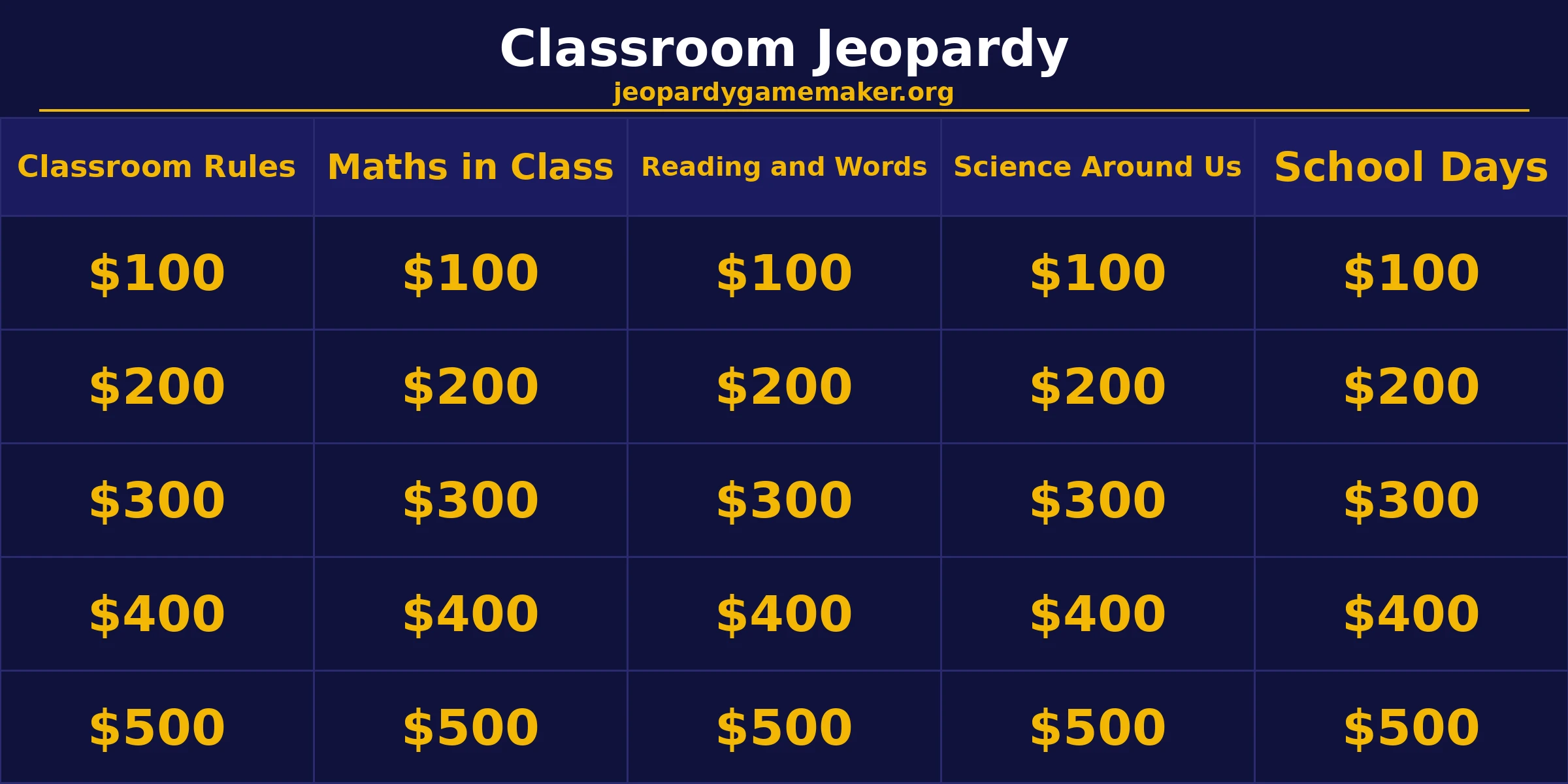
| Points | Classroom Rules | Maths in Class | Reading and Words | Science Around Us | School Days |
|---|---|---|---|---|---|
| $100 | Clue: Raise this when you want to speak in class. Answer: What is your hand? | Clue: What is 2 plus 3? Answer: What is 5? | Clue: This is the first letter of the alphabet. Answer: What is A? | Clue: This planet is our home. Answer: What is Earth? | Clue: This is the meal you eat at midday in school. Answer: What is lunch? |
| $200 | Clue: You keep your books and pencils in this piece of classroom furniture. Answer: What is your desk? | Clue: What is 10 minus 4? Answer: What is 6? | Clue: This word means the opposite of hot. Answer: What is cold? | Clue: The sun gives us this, and it helps us see. Answer: What is light? | Clue: This is the room where you borrow books. Answer: What is the library? |
| $300 | Clue: This rule says you should listen when someone else is talking. Answer: What is take turns to speak? | Clue: What is 5 times 4? Answer: What is 20? | Clue: This is a short story with talking animals and a lesson at the end. Answer: What is a fable? | Clue: Plants take in this gas from the air to grow. Answer: What is carbon dioxide? | Clue: This person helps you when you feel sick at school. Answer: Who is the school nurse? |
| $400 | Clue: Walk in the corridor, and do not do this. Answer: What is run? | Clue: Half of 100 is this number. Answer: What is 50? | Clue: The person who writes a book is called this. Answer: Who is an author? | Clue: Water turns into this when it gets very cold. Answer: What is ice? | Clue: This is the break time between lessons when you play outside. Answer: What is recess? |
| $500 | Clue: This is the golden rule: treat others the way you want to be treated. Answer: What is the golden rule? | Clue: This shape has three sides. Answer: What is a triangle? | Clue: This mark ends a question. Answer: What is a question mark? | Clue: This force pulls things down to the ground. Answer: What is gravity? | Clue: This is the last day of the school week in many countries. Answer: What is Friday? |
For a full lesson, play all 25 clues. That usually takes 30 to 40 minutes, including team talk and answer reveals.
How to Build Your Own Jeopardy Game Maker for Classroom Board
Start from a ready-made template if you want a head start, then change the categories to fit your lesson. Keep the classroom columns, or add your own subject, your own class rules, or a topic from this week.
Write short clues, not long paragraphs. Each clue should point to one clear answer.
Mix easy and hard clues in every category. Hard clues alone make weaker teams give up, and easy clues alone bore strong teams.
Keep answers short and clear. One name, one number or one place works best, and it avoids arguments about what counts as correct.
For more board ideas, browse the Math Jeopardy board to see how a different subject is laid out, then copy that structure for your own lesson.
Hosting Tips That Keep the Game Moving
Appoint one student as scorekeeper. That frees you to read clues and manage turns.
Set a time limit for each answer. Ten to fifteen seconds is enough for most clues, and it keeps the room alert.
Give every team a fair turn. If one team dominates, let the next team pick the category.
Use the board as a review, not a test. Praise good reasoning, even when the final answer is wrong.
End with the highest rows if time runs short. The 500 clues make a strong finish, and students remember the game better that way.
You can find more topic ideas on the Jeopardy games by topic page, which groups boards by subject for classroom use.
Browser Maker vs Slides vs PowerPoint: Which Is Fastest in Class
Teachers build classroom boards in four ways, and they are not equal on time. A browser maker is the fastest. You type the categories and clues, press play, and the board is ready on the projector.
Google Slides and PowerPoint take longer. You build a board slide, then one slide per clue, then link every tile to its clue and back again. That is fine for a board you will reuse all year, but it eats a whole planning period for one lesson.
A spreadsheet is the slowest for most teachers. It can hold the questions, but it does not play like a game without extra setup.
The browser maker also handles scoring for you. Tiles grey out after they are used, and teams see the points add up on screen.
Slides and PowerPoint give you more control over design. You can add your own pictures, fonts and sounds, and you can keep the file on your own computer.
Pick the browser maker when you need a game today. Pick Slides or PowerPoint when you want a polished board you will play many times.
Turn Any Lesson Into a Board in 10 Minutes
You do not need a free afternoon to build a board. Pick one lesson from today and turn it into five categories.
First, list the five big ideas from the lesson. One idea becomes one category, and the title should be short enough to fit on a tile.
Next, write one easy question for each idea, then one medium question, then one hard question. That gives you 15 clues in a few minutes.
Then add two more questions per category to fill the board. Use facts from the textbook, from class talk, or from homework.
Keep every clue under one line. If a clue needs two lines to explain, it is really two clues, so split it or drop it.
Finally, read the board once from the top. Fix any clue with two answers, and swap any clue that is too easy or too hard for your class.
What This Maker Cannot Do
Honesty matters, so here are the limits in plain words. The maker is browser-based, which means you open it in a web browser and play it there.
You do not need to download anything, and you do not need to sign up for an account to build and play a board. That keeps setup fast in a classroom.
There is no native app to install on a phone or tablet.
There are no phone buzzers built into the maker. Teams answer aloud, or the host can use a simple hand raise, a bell or a chat message for remote play.
There is no downloadable slide template offered here. You build and play the board in the browser, and you can share it by link instead.
There is also no native Zoom integration built into the maker. You can still play over a video call by sharing your screen, but the maker itself does not connect to Zoom.
An AI board writer is on the waitlist and is not live yet. For now, you write the clues yourself, which also keeps them matched to your class.
These limits are also strengths in a school setting, since fewer tools mean fewer things can go wrong.
If you need step by step setup help, the how-to guide walks through choosing topics, writing clues, entering them in the maker, previewing and playing with teams.
What to do next
Pick the sample board above and play it once with your class. One real game will show you which categories need easier clues and which need harder ones.
Then build your own classroom board from your next lesson. Keep the five categories, or swap one for your subject, your class rules or a topic from this week.
Final Thoughts
A jeopardy game maker for classroom use earns its place because it is fast, free and fair. You build in minutes, every team gets a turn, and the whole class reviews the lesson without noticing it is a review.
Use the sample board, adapt it to your class, and let students learn by playing. A lively quiz makes them look forward to the next game.
FAQs
1. Is a jeopardy game maker for classroom free to use?
Yes. You can build and play a board in the browser with no download and no signup. There is no payment needed to play the sample board or to build your own.
2. Do students need an account to play?
No. Students do not need an account, a login or an app. They watch the shared board and answer aloud as teams, so the whole class can join in seconds.
3. Can I use my own lesson questions?
Yes. You can change every category and every clue to match your lesson. Keep the five category structure, use short clues, and keep one clear answer per clue.
4. Does it work on a smartboard or projector?
Yes. The maker runs in a browser, so it works on a projector, a smartboard, or any screen you can share with the class. Open it, press play, and the board fills the screen.
5. Can I save my board for the next lesson?
Yes. You can export your board and import it again later, so a good board can be reused with a new class or a new term. Keep a copy of the file with your lesson plans.
6. Can I play this game over a video call?
Yes. Share your screen so all players can see the board, read clues aloud, and let teams answer by voice or chat. Keep turns short and appoint a scorekeeper so the game stays smooth.