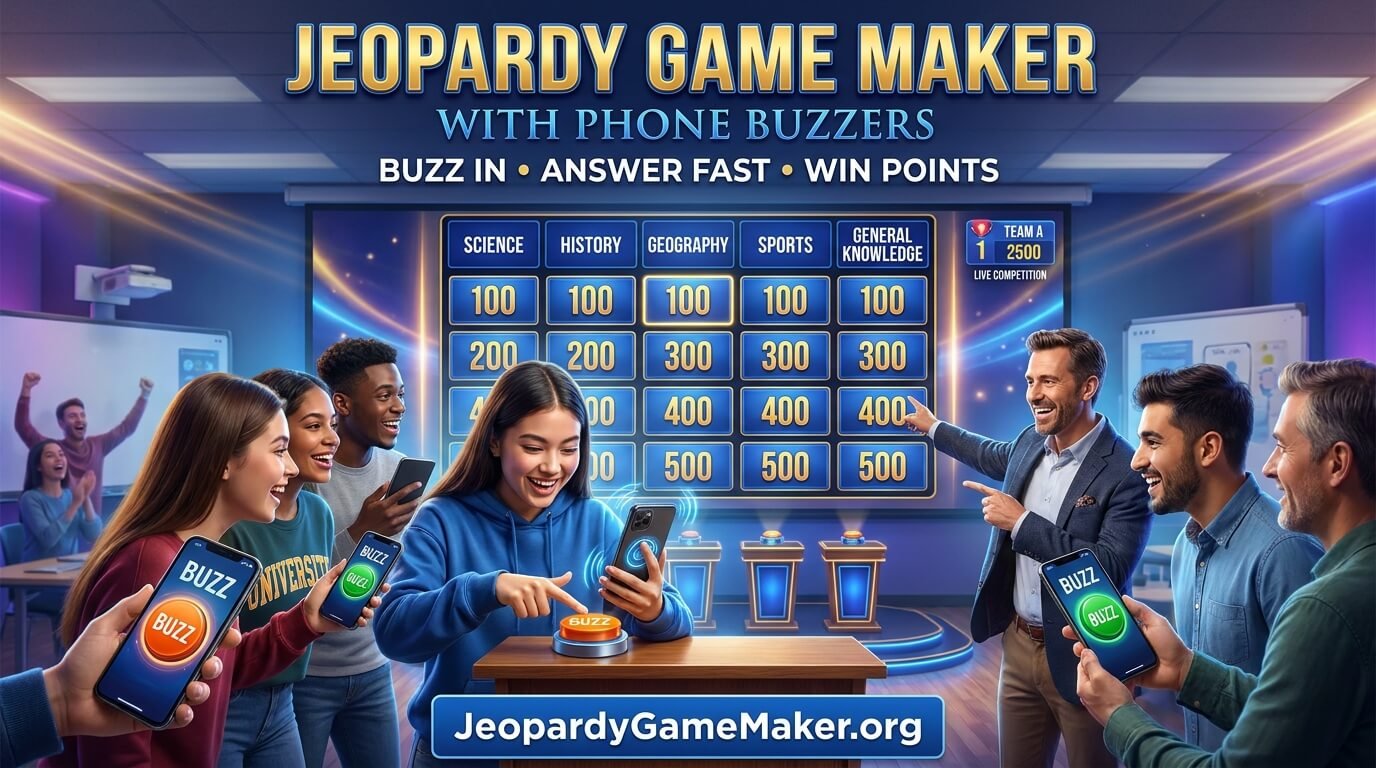
Phone buzzers make quiz games more interactive because everyone can participate at the same time. They can also make the competition feel fairer by showing which player or team buzzed first. With clear questions, balanced scoring, and simple rules, you can create an entertaining activity without buying a separate buzzer system.
In this guide, you will learn how phone buzzers work, how to create a Jeopardy board, how players join a game, and how to manage scoring. You will also find sample questions, game formats, setup instructions, troubleshooting advice, and practical tips for hosting a successful event.
Ready to explore your options? Visit JeopardyGameMaker.org for Jeopardy game-making resources and ideas.
One honest note before you start: the free maker on this site does not have built-in phone buzzers. The section below explains what it does instead, and how to run a fair buzz-in game without one.
Table of Contents
- What Is a Jeopardy Game Maker With Phone Buzzers?
- How Do Phone Buzzers Work?
- Why Use Phones Instead of Physical Buzzers?
- How to Create a Jeopardy Game With Phone Buzzers
- How Players Join With Their Phones
- Rules for a Fair Buzzer Competition
- How Scoring Works
- Sample Jeopardy Game With Questions
- Using Phone Buzzers in the Classroom
- Using Phone Buzzers at Parties and Events
- Hosting a Remote Jeopardy Game
- Features to Look for in a Buzzer Game Maker
- Common Problems and How to Fix Them
- Tips for Hosting a Better Game
- Frequently Asked Questions
What Is a Jeopardy Game Maker With Phone Buzzers?
A Jeopardy game maker with phone buzzers is an online game setup that combines a customizable quiz board with a digital buzzer system. The host displays categories and clues on a computer, television, or projector. Players use smartphones, tablets, or other supported devices to join the game and signal when they are ready to answer.
In a traditional quiz, participants might raise their hands or press physical buttons connected to a buzzer unit. A phone-based system replaces much of that equipment with a web page or app that works on a personal device. Depending on the platform, players may join through a room code, a QR code, or a shared link.
Once the host opens a question for answers, players tap the buzzer button. The system identifies the first accepted buzz and may lock the other players out until the host decides what happens next. Some tools also provide automatic score updates, team options, timers, and special rounds.
The exact features vary between game makers. Some provide only a simple buzzer, while others combine the board, player access, scoring, and host controls in one interface.
Does This Maker Have Phone Buzzers?
Here is the honest answer. The free maker on this site does not have built-in phone buzzers. Players cannot join the board from their phones and tap to buzz in. The board runs on the host device, and the host controls the clues, the answers, and the scores.
That does not mean you cannot run a buzz-in game. Use a raised hand or a table bell for the classroom. On Zoom or Teams, let teams type “buzz” in chat, and the first message wins the turn. Or run a separate free buzzer app on the players’ phones while the board stays on the main screen.
What the maker does give you is a full board with five categories, 25 clues, editable point values, three themes, and export and import, so a good board can be saved and reused. If built-in buzzers are a must for a large event, a paid tool with that feature is the honest choice. For a class or a family night, the workarounds above play just as well.
How Do Phone Buzzers Work?
A phone buzzer usually works through an internet connection. The host controls the game from one device, and each participant joins the same game session using a supported browser or application.
Here is a typical example of how a live round works:
- The host creates a game: The host prepares categories, clues, answers, and point values.
- The board appears on a large screen: A laptop or computer displays the game board for everyone to see.
- Players join the session: Participants scan a QR code or enter a game code on their phones, if the platform offers those options.
- The host selects a clue: A category and point value are chosen from the board.
- The host opens the buzzer: Players can now tap the buzzer button on their devices.
- The system identifies the first response: The game displays the accepted player or team, depending on its buzzer rules.
- The host checks the answer: The host marks it correct or incorrect and updates the score.
- The next turn begins: The host moves to another clue and repeats the process.
Some platforms handle scoring automatically, while others require the host to confirm each result. Always check the available controls before your event so you know exactly how the game behaves.
Why Use Phones Instead of Physical Buzzers?
Physical buzzer systems can be useful, especially for professional quiz events. However, they may require extra equipment, cables, setup time, and storage. A phone-based buzzer can offer a simpler alternative when participants already have compatible devices.
1. Less Equipment to Prepare
Players can use devices they already own instead of requiring the host to provide a separate buzzer for every person. This can make preparation easier for classrooms, small events, and casual competitions.
2. More Participants Can Join
Many phone buzzer tools are designed to support multiple players or teams. The number of participants depends on the platform and its plan, so check its limits before hosting a large event.
3. A More Interactive Experience
Everyone can watch the same board while keeping a personal buzzer on their device. Players remain involved throughout the round instead of waiting for the host to choose someone with a raised hand.
4. Useful for Remote Events
When a platform supports remote access, people in different locations can join the same session. The host can share the board through a video meeting while players use their phones to respond.
5. Easier Score Management
Some game makers include live scorekeeping. This can reduce manual calculations and help the host focus on questions, answers, and the flow of the event.
6. Flexible for Different Occasions
Phone buzzers can support classroom reviews, workplace training, family trivia, birthday games, holiday parties, and general knowledge competitions. The same basic setup can be adapted to many topics.
How to Create a Jeopardy Game With Phone Buzzers
Before inviting players, prepare a board that is easy to understand and suitable for your audience. Follow these steps to build a game from the beginning.
Step 1: Choose Your Game Topic
Decide what participants will answer questions about. A classroom game might focus on science or history, while a party game could include movies, music, food, and funny facts about friends.
A clear theme makes question writing easier. It also helps participants understand what kind of knowledge they will need during the competition.
Step 2: Create Categories
Divide your topic into several sections. Five or six categories are a useful starting point for a traditional board, although the ideal number depends on the format and available time.
For example, a general knowledge board might include:
- Science and Nature
- World Geography
- History
- Movies and Music
- Sports and Games
- Everyday Knowledge
Step 3: Write Clear Clues
Prepare questions that have accurate and understandable answers. Avoid vague wording or clues that could reasonably have several different responses. Keep the wording short enough to read comfortably on a shared screen.
Step 4: Set Point Values
Give easier questions lower values and harder questions higher values. For example, a board could use 100, 200, 300, 400, and 500 points in each category. Make sure the difficulty increases in a consistent way.
Step 5: Add the Questions to Your Game Maker
Open your chosen game maker and enter the categories, clues, answers, and point values. If the tool supports templates or spreadsheet imports, these options may save preparation time. Review every imported question before using it.
Step 6: Check the Buzzer Options
Find out how players join, when the buzzer becomes active, and how the system identifies the first response. Check whether the tool supports individual players, teams, automatic scoring, and a host-controlled question flow.
Step 7: Test the Game Before Hosting
Join your own test session from a second device. Confirm that the game code or joining link works, the buzzer responds, and the host can mark answers correctly. Testing can reveal problems before your audience arrives.
For more help building a board, read our guide on how to make a Jeopardy game.
How Players Join With Their Phones
Joining should be simple enough for participants who have never played a phone-buzzer game before. The exact process depends on the game maker, but many systems use one of these methods.
Join With a Game Code
The host displays a room code on the main screen. Each player opens the joining page on a phone, enters the code, and follows the instructions to select a player or team name.
Join With a QR Code
If the platform provides a QR code, players can scan it using their phone camera. This can reduce typing and help a group enter the same game quickly.
Join With a Shared Link
Some tools let the host share a direct joining link. Players open the link and follow the steps shown on their devices.
Once connected, participants should see a waiting screen or buzzer button. Ask everyone to keep the game page open and make sure their device has a reliable internet connection.
Rules for a Fair Buzzer Competition
Good rules prevent arguments and keep the game moving. Explain the process before the first clue so everyone understands when they can buzz and how answers will be judged.
- Wait until the host opens the buzzer: Players should not tap before the question is ready for responses.
- Only the accepted first buzz gets the first chance: Follow the platform’s displayed buzzer result.
- Give a reasonable answer time: Set a short, consistent period for the selected player or team to respond.
- Use agreed answer rules: Decide whether close wording, alternative names, or spelling variations will be accepted.
- Apply penalties consistently: If incorrect answers lose points, explain the deduction before the game starts.
- Let other players try when permitted: If the first response is wrong, follow the platform’s rules for reopening the buzzer.
- Keep the host in control: The host should confirm answers and resolve unclear situations.
Remember that a digital buzzer depends on communication between devices and the game service. Network delays can affect what participants experience, so choose a platform with clear first-buzz rules and test it with your actual setup.
How Scoring Works in a Phone-Buzzer Game
Scoring gives players a reason to choose difficult clues and compete strategically. A common approach is to award the question’s displayed point value for a correct answer and deduct the same amount for an incorrect answer. However, not every game uses deductions, so choose a system that fits your audience.
Here is an example scoring structure:
| Question difficulty | Example points | Suggested use |
|---|---|---|
| Easy | 100 | Basic facts and definitions |
| Moderate | 200 | Simple explanations |
| Medium | 300 | General knowledge |
| Hard | 400 | Detailed subject knowledge |
| Very hard | 500 | Advanced or challenging clues |
If your game maker includes automatic scoring, the host may only need to mark an answer correct or incorrect. If scoring is manual, keep a visible score sheet and double-check totals between rounds.
Sample Jeopardy Game With Questions
Use this sample board as a starting point for a classroom or general knowledge competition. Each category contains five clues arranged from easier to harder. Prepare the correct responses for the host before beginning.
| Points | Science | Geography | Animals | History | Sports |
|---|---|---|---|---|---|
| 100 | Which planet is known as the Red Planet? | What is the largest ocean on Earth? | Which animal is known as man’s best friend? | Which ancient civilization built the pyramids at Giza? | How many players from one soccer team are on the field? |
| 200 | Which gas do humans need to breathe? | What is the capital of Japan? | What is a baby dog called? | Which famous wall is located in China? | Which sport uses a shuttlecock? |
| 300 | What is the center of an atom called? | Which continent contains the Sahara Desert? | What is a baby frog called? | Who was the first person to walk on the Moon? | How many rings appear on the Olympic symbol? |
| 400 | Which organ pumps blood around the body? | What is the smallest independent country by area? | Which mammal is capable of true powered flight? | In which year did World War II end? | What is a score of zero called in tennis? |
| 500 | What is the chemical symbol for gold? | Which river flows through Egypt? | What is the fastest land animal? | Which city was divided by a famous wall during the Cold War? | Which city hosted the first modern Olympic Games? |
To turn this sample into a live phone-buzzer game, enter the clues into your selected game maker, assign the point values, and prepare the correct responses. Display the board on a large screen and invite players to join from their phones.
Using Phone Buzzers in the Classroom
Phone-buzzer games can make classroom reviews more active. Instead of asking students to answer one at a time, a teacher can let teams compete to respond to questions from a shared board.
Teachers can create categories based on a recent lesson, an upcoming test, or a complete unit. For example, a science review could include the human body, plants, energy, matter, and space. An English lesson might use grammar, vocabulary, punctuation, literature, and spelling.
For a fair classroom activity, consider these suggestions:
- Use one phone per team if individual devices are not available.
- Make sure all students have a way to participate.
- Use age-appropriate clues and point values.
- Give teams time to discuss before selecting a spokesperson.
- Review difficult answers after each round.
- Follow school rules about student device use.
A buzzer game should support learning rather than distract from it. Keep the questions connected to the lesson and explain important answers when the round ends.
Using Phone Buzzers at Parties and Events
A Jeopardy game with phone buzzers can also become a fun activity at birthdays, family gatherings, holiday celebrations, and social events. The host can prepare categories that match the occasion and invite guests to compete individually or in teams.
For a birthday party, categories might include favorite foods, music, travel memories, childhood stories, and fun facts about the guest. At a family gathering, questions can cover family traditions, memorable holidays, and shared experiences.
For a workplace event, use categories such as company history, team trivia, product knowledge, customer service, and general knowledge. Avoid personal or embarrassing questions that could make participants uncomfortable.
Keep rounds short enough to maintain energy. A small prize, a funny team name, or a final bonus question can make the activity even more memorable.
Hosting a Remote Jeopardy Game
Remote games allow participants to compete even when they are not in the same room. The host can display the game board during a video meeting, while players join the buzzer session from their own devices.
Use this basic setup:
- Prepare the board and test the buzzer system before the meeting.
- Start the video call and explain how participants will join.
- Share the host screen so everyone can see the clues.
- Display the game code or joining QR code if supported.
- Ask players to test their connection and buzzer page.
- Read each clue clearly and open the buzzer when ready.
- Confirm the answer and update the score.
Ask participants to keep their microphones muted unless they are answering. This can reduce background noise and make the host easier to hear. If someone loses connection, pause briefly and allow them to rejoin when practical.
Features to Look for in a Buzzer Game Maker
Not every game maker offers the same experience. Before choosing a tool, consider the features that matter most for your event.
Custom Categories and Questions
Look for an editor that lets you create your own categories, clues, answers, and point values. Custom content makes the game relevant to your audience.
Simple Player Joining
A room code, QR code, or direct link can make joining easier. Check whether players need to create accounts or install an application.
First-Buzz Identification
The tool should clearly identify which player or team was accepted first. Check how it handles early presses, simultaneous attempts, and incorrect answers.
Host Controls
The host should be able to select clues, open or close the buzzer, confirm answers, and manage the round. Good controls make the game easier to run.
Score Tracking
Automatic scoring can save time, but manual adjustment is useful when a host needs to correct a mistake or resolve a disputed answer.
Device Compatibility
Check whether the game works in modern mobile browsers and on the computers or tablets your group will use. Test the actual devices before a large event.
Game Saving and Reuse
If you plan to reuse your board, look for a way to save it and return later. Check whether saved games can be edited, copied, or shared.
Common Problems and How to Fix Them
Most phone-buzzer games are straightforward, but technical issues can occasionally interrupt a round. A little preparation can help you solve common problems quickly.
Players Cannot Join the Game
Check that everyone is using the correct game code or link. Make sure the host has started the session and that players have an internet connection. If the code has changed, display the current one again.
The Buzzer Does Not Respond
Ask the player to refresh the game page if it is safe to do so between rounds. Check whether the buzzer is open and whether the player’s device has lost its connection. Test the system again before continuing.
Two Players Say They Buzzed First
Use the result displayed by the game system rather than deciding based on who shouted first. Explain before the game that the platform’s accepted buzzer result will determine the first response.
The Score Is Incorrect
Pause the game and review the score history if the tool provides one. If scoring is manual, compare the score sheet with the answers already confirmed. Correct the total before the next clue.
The Game Is Slow or Disconnects
Check the host’s internet connection and ask participants to move closer to a reliable Wi-Fi signal if possible. Close unnecessary browser tabs and avoid large downloads during the game.
Players Cannot Read the Board
Increase the display size, use clear fonts, and keep clue text concise. If the game is in a large room, test visibility from the back before the event starts.
Tips for Hosting a Better Phone-Buzzer Game
The best experience comes from combining reliable technology with good hosting. These practical ideas can help your event run smoothly.
- Test before people arrive: Join from at least two devices and check the full process.
- Explain the rules clearly: Show participants how to join and when they are allowed to buzz.
- Use balanced questions: Include easy, medium, and difficult clues.
- Keep rounds moving: Avoid long delays after every answer.
- Prepare backup questions: Keep a few extra clues ready in case of a tie or technical problem.
- Use team play when helpful: One phone per team can reduce the number of devices needed.
- Check accessibility: Make sure participants can read the board and use the buzzer comfortably.
- Keep competition friendly: Celebrate good answers and avoid making mistakes embarrassing.
- Review the final scores: Confirm the winner and thank everyone for participating.
Start Your Next Jeopardy Game With Phone Buzzers
A Jeopardy game maker with phone buzzers can turn a simple quiz into a lively competition. The host displays the board, participants join from their devices, and a digital buzzer gives players a clear way to compete for the first answer.
This format can be useful for classroom reviews, office training, parties, family gatherings, and remote events. The key is to prepare accurate clues, choose balanced categories, explain the buzzer rules, and test the technology before the game begins.
You do not need a complicated setup to create an enjoyable experience. Start with a topic your audience likes, prepare a manageable board, and choose a game maker that supports the player and host features you need.
Explore JeopardyGameMaker.org for more ideas and resources. You can also read our Jeopardy game creation guide and browse our Jeopardy templates to plan your next quiz.
Frequently Asked Questions About Jeopardy Game Makers With Phone Buzzers
1. What is a Jeopardy game maker with phone buzzers?
It is an online quiz setup that displays a Jeopardy-style board while players use their phones as digital buzzers. The host controls the game and checks answers, while the buzzer system identifies the accepted first response.
2. Can I use my phone as a Jeopardy buzzer?
Yes, if the game maker supports phone-based buzzers. Players usually join through a browser, game code, QR code, or link and tap a button when the host opens the question.
3. Do players need to download an app?
It depends on the platform. Some tools work directly in a mobile browser, while others may offer or require an app. Check the joining instructions before inviting participants.
4. Can players join a Jeopardy game with a code?
Many phone-buzzer systems support room or game codes. The host displays the code, and players enter it on the joining page to access the correct session.
5. Can I use phone buzzers for classroom Jeopardy?
Yes. Teachers can display a quiz board on a projector and let students or teams use phones as buzzers. Always follow classroom device policies and provide an alternative for students who cannot use a phone.
6. Can I host a Jeopardy game with phone buzzers online?
Yes, if the game maker supports remote participation. The host can share the board during a video meeting while players join the buzzer session from their own locations.
7. How does the game know who buzzed first?
The platform records accepted buzzer requests and displays the player or team it recognizes as first. The result can depend on the platform’s server and connection handling, so test the system before an important event.
8. Can multiple players buzz in at the same time?
Several players may tap almost simultaneously, but a buzzer system generally accepts one response first and locks or pauses the others for that clue. The exact behavior depends on the tool.
9. Can I play with teams instead of individuals?
Many game makers support team-based play, although the available team features vary. You can also use one phone per team when the platform allows a shared team buzzer.
10. Does a phone-buzzer Jeopardy game track scores automatically?
Some platforms provide automatic scorekeeping after the host marks an answer correct or incorrect. Other tools require manual score updates. Check the scoring options before choosing a game maker.
11. What happens if a player gives a wrong answer?
The host follows the rules selected for the game. Depending on the format, the player may lose points, lose the chance to answer that clue again, or allow another team to buzz in.
12. Can I create my own questions and categories?
Yes, a custom game maker usually allows you to add your own categories, clues, answers, and point values. Some platforms also offer templates or question imports.
13. What devices can players use as buzzers?
Depending on browser and platform support, players may be able to use smartphones, tablets, laptops, or Chromebooks. Check device compatibility before your event.
14. Is a phone buzzer better than a physical buzzer?
It depends on the event. Phone buzzers can reduce equipment needs and make remote play easier. Physical buzzers may be preferable for some in-person competitions where dedicated hardware is available.
15. How can I make a phone-buzzer game fair?
Explain when players can buzz, use the platform’s accepted first-buzz result, apply scoring rules consistently, and prepare clear answers. Test the system and connection before starting.
16. Can I use a Jeopardy phone-buzzer game for a birthday party?
Yes. Create categories about the guest of honor, music, movies, food, memories, or general trivia. Guests can compete individually or in teams using supported devices.
17. How many questions should my Jeopardy board have?
A traditional board often uses five or six categories with several clues in each. Choose a board size that fits your event length and the attention span of your participants.
18. What should I do if the internet connection fails?
Pause the game, check the host and player connections, and let participants reconnect. Keep a printed or offline copy of the questions and a manual score sheet as a backup.